
Most business owners know they should be using AI. There are barriers to adoption in the first place and barriers to realising the benefits of AI in a way that is more than just asking a chatbot some questions. There are plenty of people who aren’t even using AI for basic uses, but you wouldn’t know that by reading LinkedIn posts!
If you feel you’ve somehow missed out or being left behind, here is the good news: AI is a relatively easy technology to catch up on. If you’re new or early in your journey with AI, this article is for you.
The benefits of AI use can be significant. It’s a relatively old study now, but here’s a stat worth sitting with. Research by social scientist Ethan Mollick found that consultants using AI finished 12.2% more tasks, completed them 25.1% faster, and produced results 40% higher quality than those without it. If you’re at an early stage of AI adoption, there is a way to start unlocking these benefits. Again, it’s relatively old (in AI time!) but, like all good frameworks, it’s simple to grasp and has real depth.
The framework that unlocks those gains is built around AI personas for business: three distinct modes for using AI that map directly to how you actually work. The Assistant, The Strategist, and The Creator. Understand these three, and AI stops feeling overwhelming and starts feeling useful.
What are AI personas? (and why this framework changes everything)
AI personas are a way of thinking about what you’re asking AI to do, and matching the right tool to the right task.
The concept was developed by the team at Section, an AI upskilling school, and brought to life by lecturers including Greg Shove and Edmundo Ortega. It reframes AI from a single monolithic technology into a set of fluid, overlapping capabilities.
The three personas are not rigid categories. You won’t use one exclusively and ignore the others. In practice, you’ll move between them, sometimes within a single working session. Think of them as different modes of working that AI can support, depending on what you need in that moment.
This framework gives you a simple mental model for making practical decisions about how to use AI in your workflow.
The Assistant, getting time back
Every founder has the same version of this problem: too much of the day disappears into work that keeps things running but doesn’t move them forward.
Scheduling. Meeting notes. Follow-ups. Task management. These things are necessary, but they rarely require your best thinking. The Assistant persona is about using AI to handle exactly this kind of work, so your time and energy go where they actually matter.
The most practical starting point is the AI already built into the tools you’re using. If you’re in Google Workspace, Google Gemini is now embedded across Gmail, Docs, and Sheets. You can ask it to summarise a long email thread, draft a reply, pull insights from a spreadsheet, or generate a first pass of a document from a brief. There’s nothing new to install. It’s already there. If your business runs on Microsoft 365, Copilot does the equivalent job across Outlook, Word, Excel, and Teams.
For meeting notes, Fireflies AI remains one of the most reliable standalone tools available. It attends virtual and in-person meetings, records discussions, and produces searchable transcripts and targeted follow-ups. You can be fully present in a conversation rather than half-listening while trying to capture everything at once. There are plenty of other similar applications: TL;DR and Granola are two widely used notetakers, and Google and Microsoft have notetakers native to their environments.
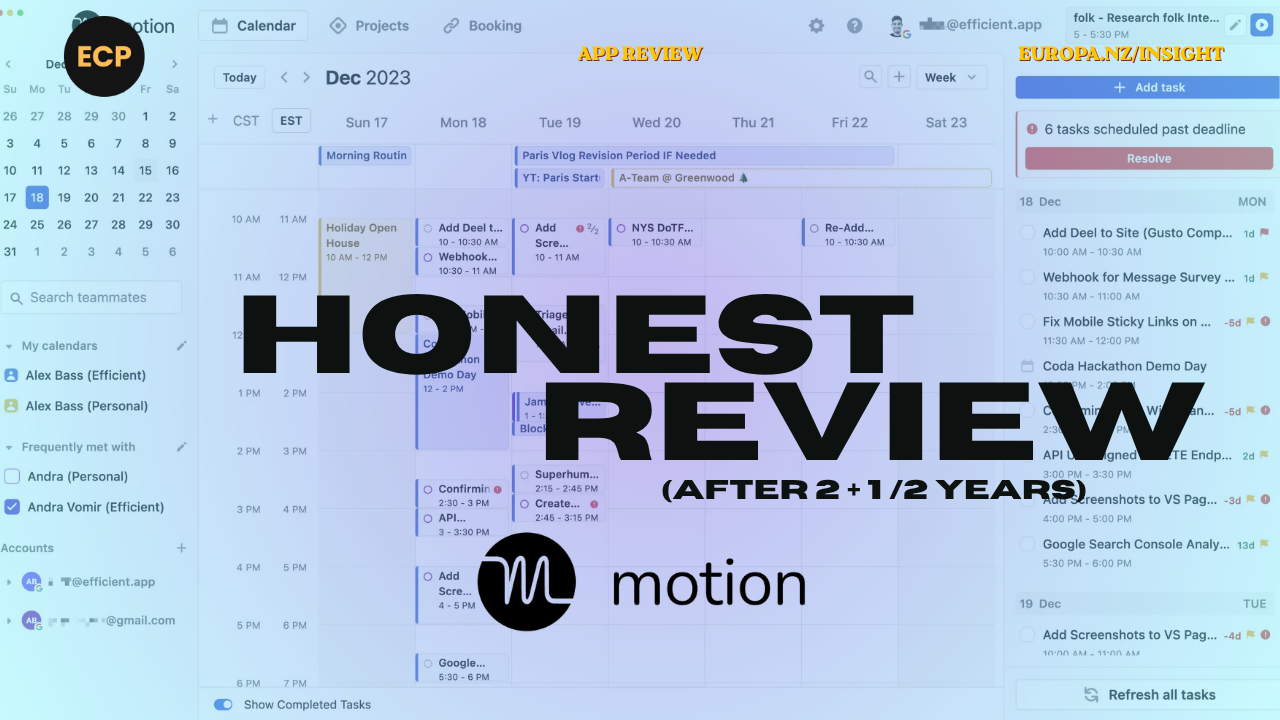
MotionAI does not have the same range of use cases as the powerful examples above. But it is a good example of a “niche” specialist AI product. . It manages your calendar dynamically, blocking time for tasks, adjusting as priorities shift, and ensuring your schedule reflects what actually needs to happen rather than what simply arrived first. For anyone who has struggled with time-blocking, it removes the friction almost entirely.
How they work together
Here’s a practical scenario. You have a full day of client meetings followed by a strategic planning session. MotionAI has already blocked preparation time before each meeting and protected space for deep work in the afternoon. Gemini has already helped you clear your inbox and prepare a summary brief before you sit down. Fireflies captures everything discussed across the day and produces structured notes and action items within minutes of each call ending.
By 5pm, your calendar has held, your meetings are documented, and your follow-ups are ready to send. That’s not a small thing. That’s the difference between a day that moves your business forward and one that simply passes.
The oft-cited benchmark is that AI saves professionals around 2.5 hours per day. In our experience at Europa, that figure holds up. Compounded across a week, a month, a quarter, it represents a substantial shift in capacity.
Where to start: Identify the single task that drains the most time in your week. If it involves your inbox, your documents, or your meetings, there’s almost certainly an AI tool already sitting inside the software you use every day. Start there before you sign up for anything new.
The Strategist, a smarter thought partner
Some problems don’t have clean answers. A strategic decision with competing variables. A document you’ve reviewed so many times you can no longer see it clearly. A communication that needs to land with a specific, expert audience.
This is where The Strategist persona earns its place, and where learning how to use AI in your workflow starts to feel genuinely powerful.
Tools like ChatGPT and Claude function as intelligent thought partners. Not to replace your judgement, but to stress-test it. They can synthesise large volumes of information, surface angles you haven’t considered, and offer a second perspective when you’re too close to a problem to see it objectively.
A concrete example: Before sending a proposal, you can ask Claude to review it from the perspective of your most sceptical buyer, a CFO who’s seen too many agency pitches, or a technical decision-maker who wants specifics rather than promises. It surfaces gaps and assumptions that a standard proofread won’t catch.
At Europa, we use a similar approach when developing content for clients who serve expert audiences. Asking ChatGPT or Claude to review a piece of writing while acting as a senior technical executive, a sceptical CFO, or an experienced clinician surfaces gaps and assumptions that a standard proofread simply won’t catch.
A second practical use case: scenario planning. When facing a significant strategic decision, use The Strategist to map competing options, test your assumptions, and pressure-test your reasoning. It doesn’t make the decision for you. But it makes you more confident in the one you make.
Research suggests that professionals using AI generate 59% more structured business documentation per hour than those who don’t. That aligns with our experience. The ability to produce a strong first draft, or rapidly generate alternatives, significantly reduces the friction of getting started.
Where to start:
Set up a Claude Project and add three or four documents that define how your business works. Then take your next important proposal or strategic document and ask Claude to review it from the perspective of your most critical stakeholder. Notice what it surfaces that you hadn’t considered. For ChatGPT or Gemini users, you can use CustomGPT or Gems (respectively) in a similar way.
The Creator, ideas and assets at speed
Creative work has always been constrained by two things: time and iteration. A strong idea takes time to develop. Testing whether it works takes more time still. And the gap between concept and execution has always been a bottleneck.
The Creator persona changes that dynamic, and for AI workflow tools for small business, this is often where the most visible gains appear.
For visual content, Google Gemini’s image generation capabilities are now a practical option for most business owners, particularly if you’re already in the Google ecosystem. You describe what you’re trying to communicate, and it generates visual options tailored to your brief. Mood boards that would have taken hours to assemble can be roughed out in minutes. Multiple directions can be tested before any significant resource is committed. You can use graphic design resources like Canva to easily manipulate imagery for junior design tasks.
The area that often gets overlooked in conversations about AI creativity is video and audio. Descript has made both genuinely accessible. You can film a short piece to camera, edit out the hesitations and the filler words, add captions, and produce something polished without any prior production experience. For founders building a presence through content, that removes one of the biggest practical barriers. It’s not a professional broadcast tool. It’s a working tool for people who need to produce content regularly without a production team behind them.
For a consultancy like Europa, this capability is relevant in almost everything we do, from campaign concepts to client presentations to content strategy.
A note on limitations
AI has genuine blind spots, and it’s worth naming them. Writing a hook, an opening line that stops someone mid-scroll, still seems to require a human. Emotional intelligence, cultural awareness, timing, and humour remain areas where human creativity holds a meaningful edge.
That’s not a criticism. It’s a useful reminder that The Creator persona works best when it’s amplifying human creativity, not replacing it.
Where to start: Use an AI image tool to mock up a visual concept you’ve been sitting on. Don’t overthink the prompt. Describe what you’re trying to communicate and see what comes back. The value is in how quickly it helps you clarify your own thinking.
How the three personas work together
The Assistant clears the path. By handling routine, repetitive work, it creates the space and energy for deeper thinking.
The Strategist fills that space productively. With more time available and better tools for reasoning, your decisions become sharper and your outputs become stronger.
The Creator translates that thinking into action. Ideas move faster, assets come together more quickly, and the distance between strategy and execution narrows.
Together, they map directly to the gains Mollick’s research identified: more tasks completed, completed faster, and to a higher standard. That’s not three separate productivity wins. It’s one compounding effect that builds over time.
Where to start with AI personas in your business
A better approach is to start with one persona and one problem.
The Assistant, start here first
The Strategist, start with a real decision
The Creator, start with something visual
None of these require significant time or budget to test. What they do require is a willingness to experiment, which in our experience is the only real barrier most people face.
Using AI to improve work productivity isn’t about adopting every tool available. It’s about finding the right entry point, building confidence through small wins, and expanding from there.
A final thought
AI personas for business aren’t a silver bullet. But used deliberately, with a clear sense of what each mode is for, the gains are real, measurable, and compounding. They’re extremely useful in the beginning and become something you integrate so deeply in your practice you don’t even notice you’re using them.
The Assistant, The Strategist, and The Creator give you a practical framework for cutting through the noise. Not three separate tools to manage, but one coherent system for working smarter.
Start with one persona. Pick one problem. See what changes.
AI is integral to how we work at Europa, across strategy, content, and execution. If you’re thinking about how AI fits into your wider marketing system, that’s a conversation we’re happy to have. Get in touch with me.
Frequently asked questions
What are AI personas in business?
How can AI improve business productivity?
What is the best AI tool for workflow management?
How do small businesses start using AI?
If you know your business is all steak and needs some sizzle….. we’d love to hear from you.

Dave Hayward


Subscribe to Bright Objects Your essential marketing & tech insights
Warm personal stories wrapped around solid business, revenue and marketing strategy, how-tos, technology discussion (especially AI), philosophies and tactics. Occasionally, we’ll talk about personal productivity and things important to us (like astronomy and dogs).